Lid Operation
Safe operation and use of the EDC protective lids.
Overview
The EDC case features front and back panel lids that provide access to internal components and serve as a bench and work surface when deployed.
Lid Functions:
- Protect internal components during transport
- Provide access for deployment and maintenance
- Convert to bench seat and work surface when deployed with leg sets
- Secured with latches when closed
Opening the Lids
Front Panel Lid
Purpose: Access to compute drawer, networking components, and controls
Opening procedure:
-
Release the latches
- Located on the sides at the narrow ends of the lid
- Unlock both latches before attempting to open
-
Support the lid while opening
- Lid has weight and will drop if not supported
- Control the opening motion carefully
-
Remove and set aside
- Lid is fully removable
- Place lid aside in a safe location
Front Lid Latch Sequence:
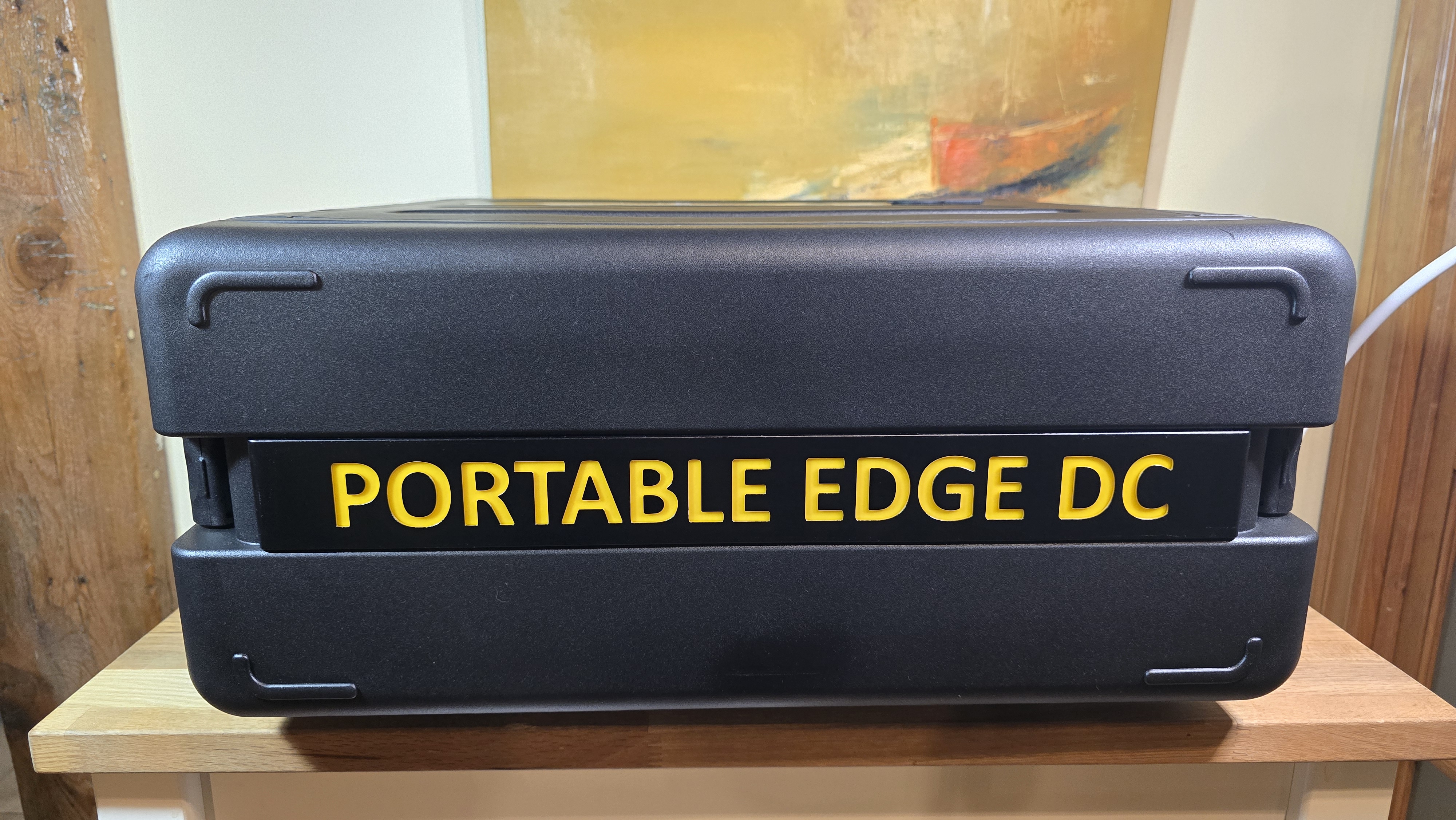
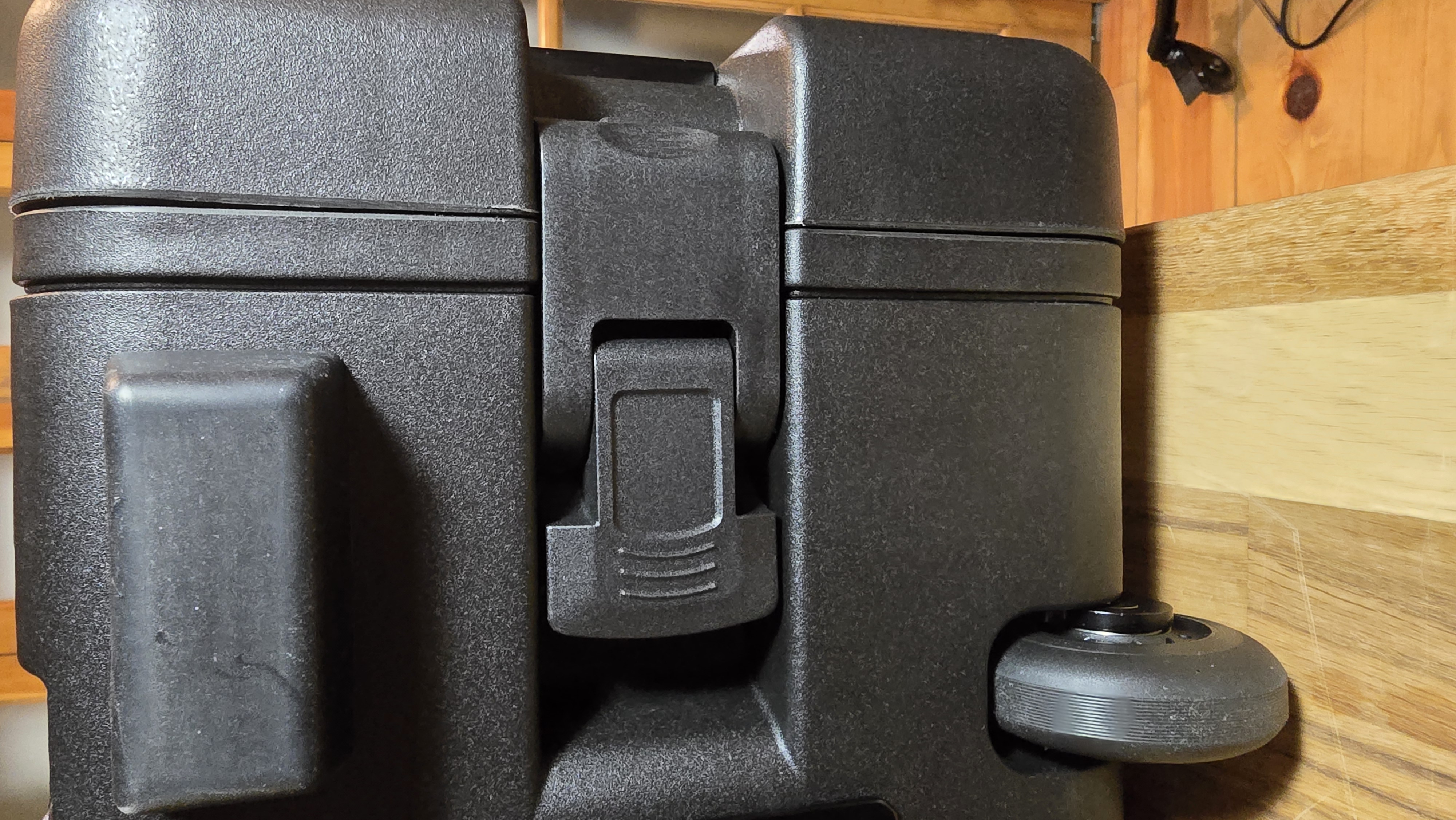
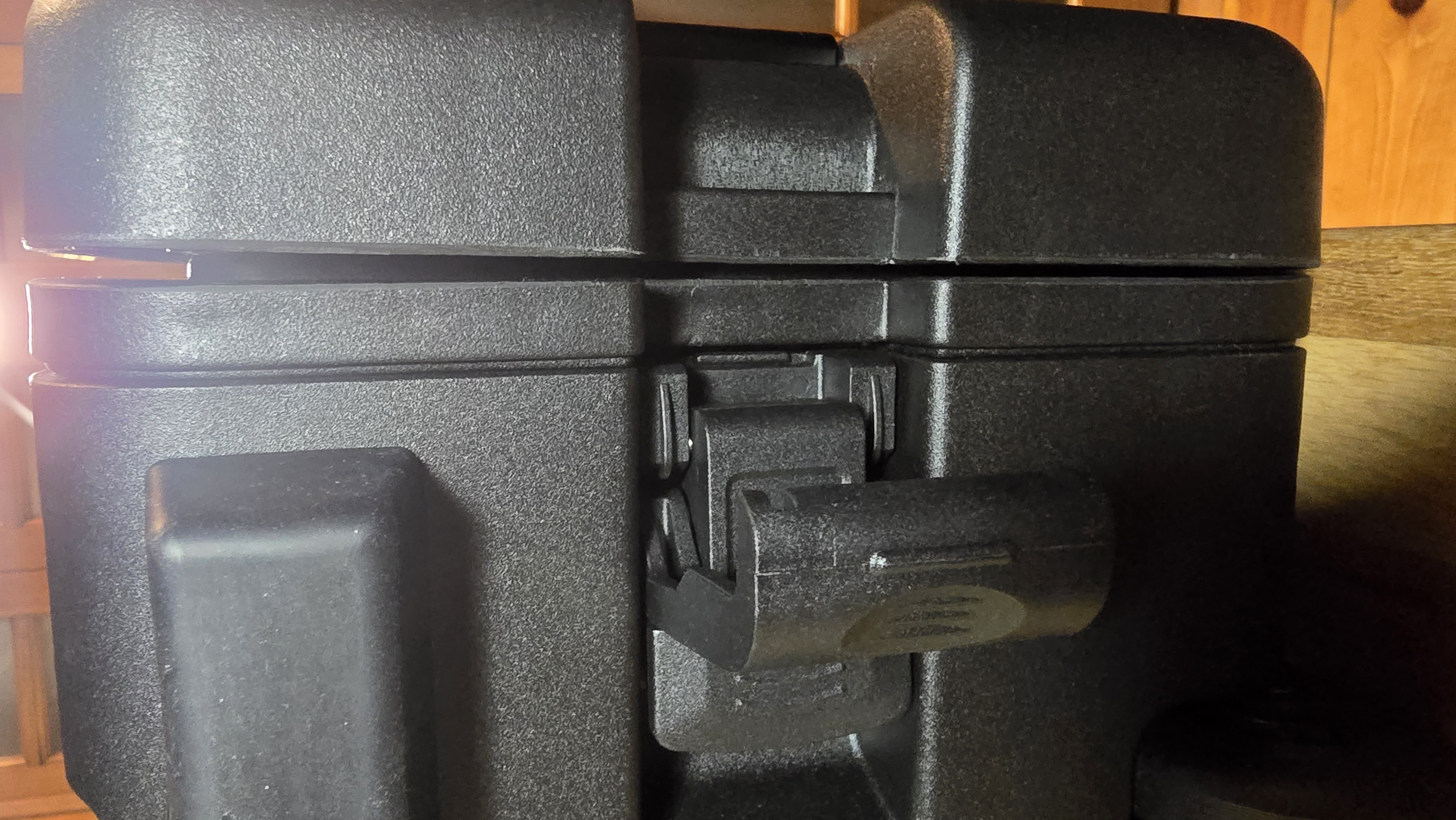
Back Panel Lid
Purpose: Access to storage drawers and PDU outlets
Opening procedure:
-
Release the latches
- Same latching mechanism as front panel
-
Support and remove carefully
- Control the motion to prevent the lid from dropping
-
Set aside
- Lid is fully removable
- Place in a safe location
Operational Requirements
⚠️ Both lids must remain removed during EDC operation
Why this matters:
Front lid (REQUIRED to remain open):
- Provides essential airflow for component cooling
- Compute nodes, switch, and other components generate significant heat
- Closed front lid causes overheating and potential component damage
- Even with lid open, front clearance of 24+ inches needed for adequate airflow
Rear lid (REQUIRED to remain open):
- Provides access to power connection and PDU
- Power cable connects to PDU on rear panel
- PDU controls and display must be accessible during operation
- Rear clearance of 6+ inches needed for exhaust airflow
When to reattach lids:
- Only during transport or long-term storage
- Never during active operation or when components are powered
Safety reminder: The EDC is designed to operate with lids removed. This is normal and expected during deployment.
Using Lids as Work Surfaces
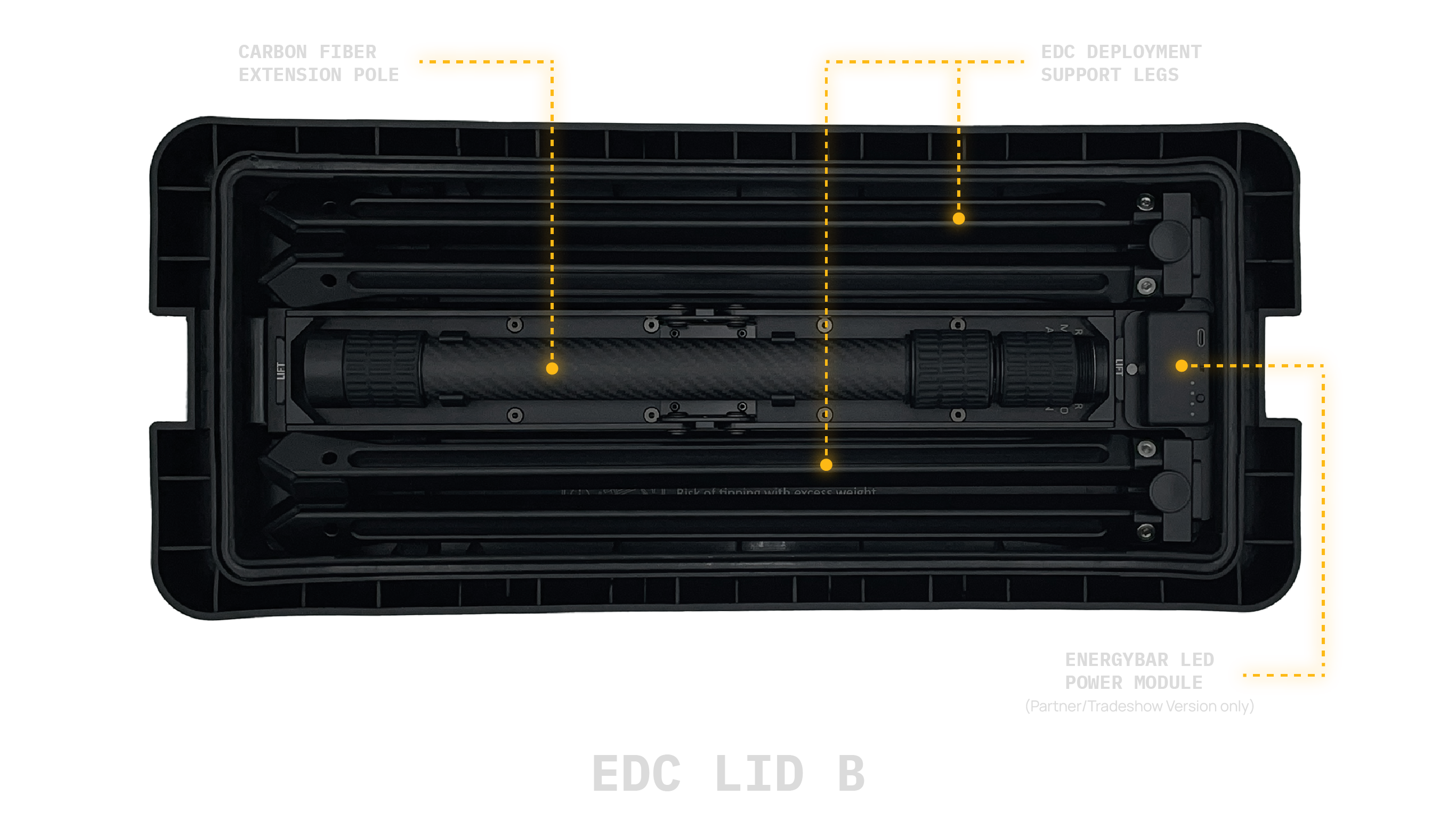
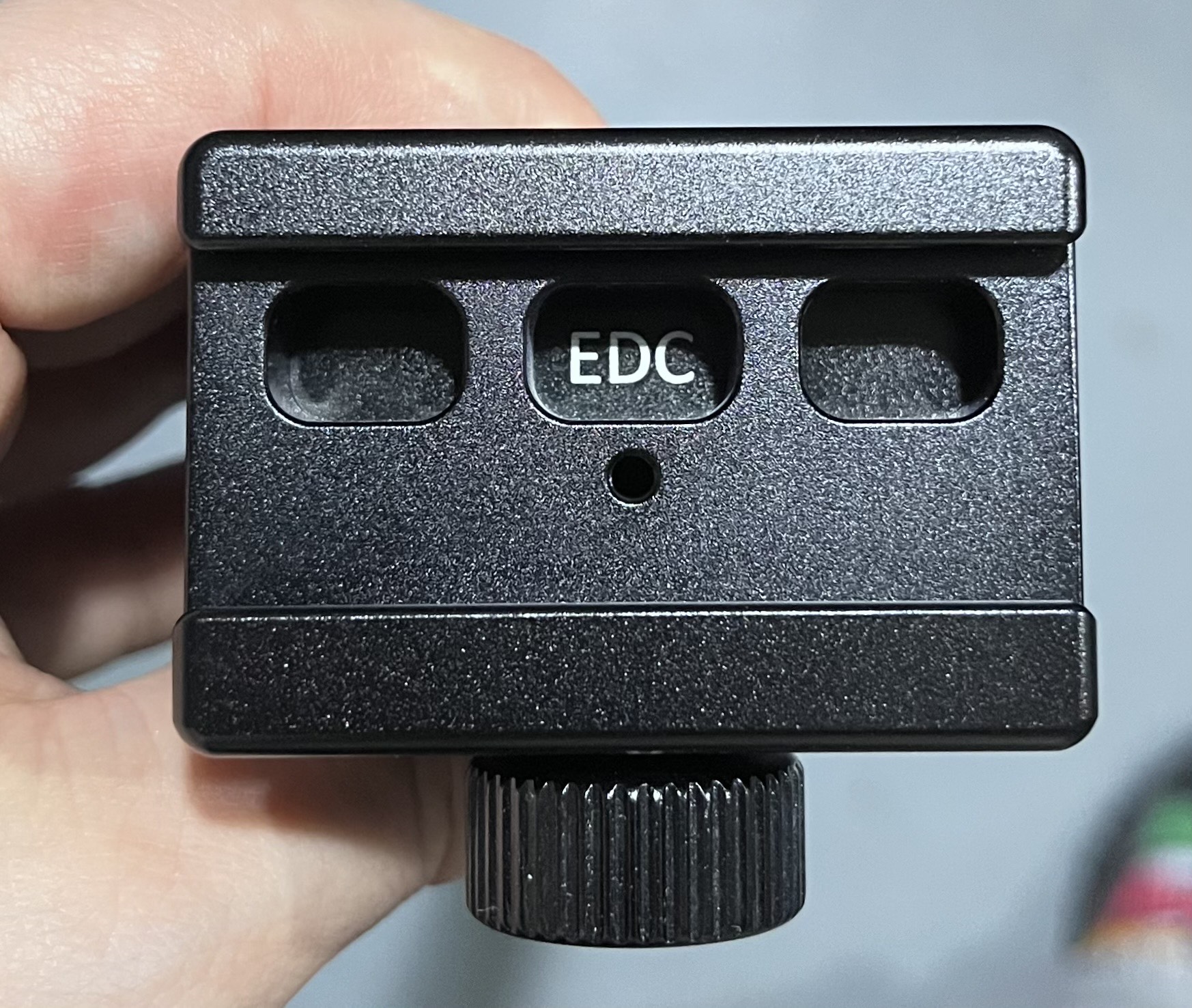
When deployed with their respective leg sets, the lids provide functional surfaces. One set is used in the deployment of the EDC to elevate it from the ground, and the second set of legs is used to deploy the bench.
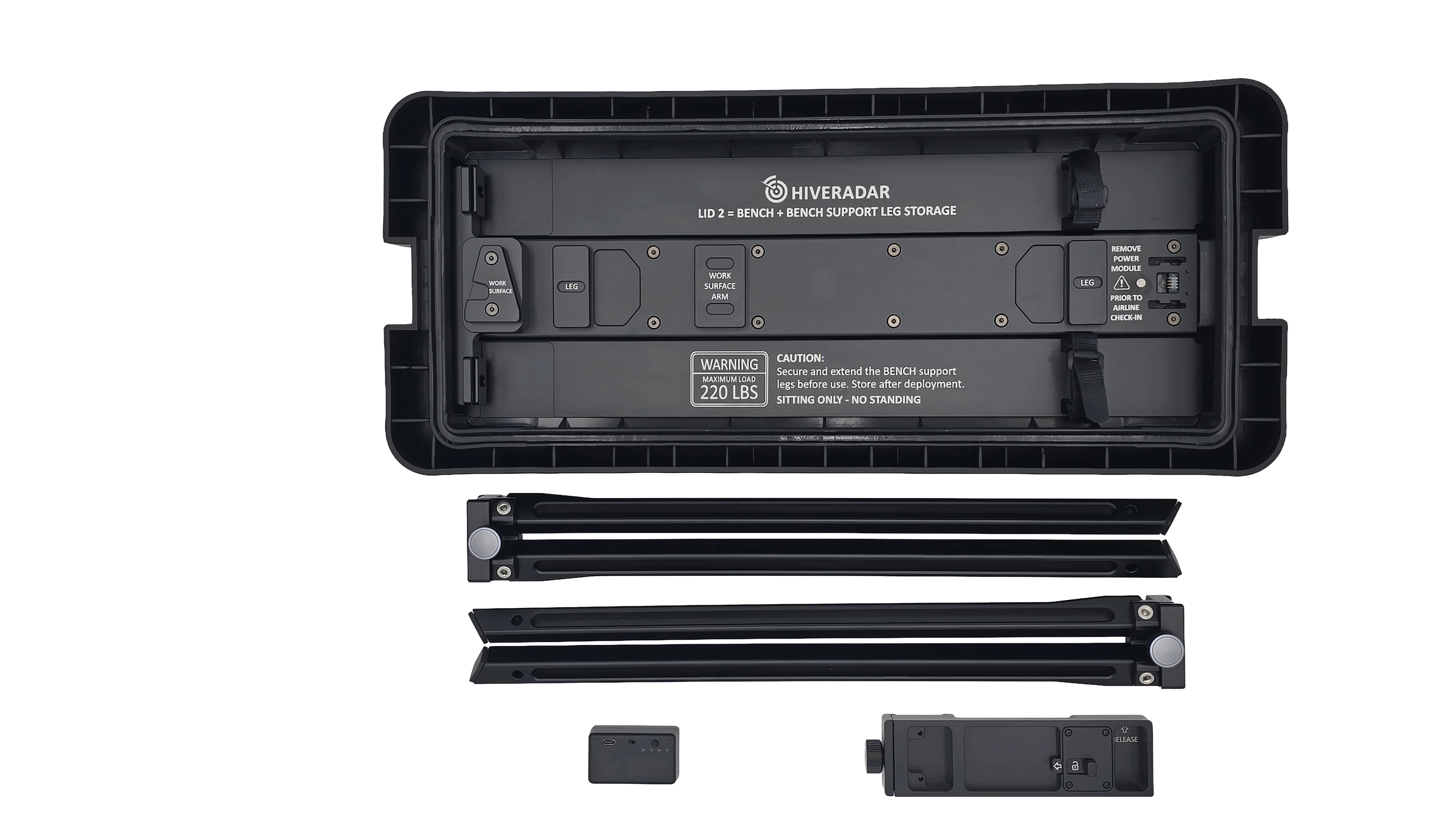
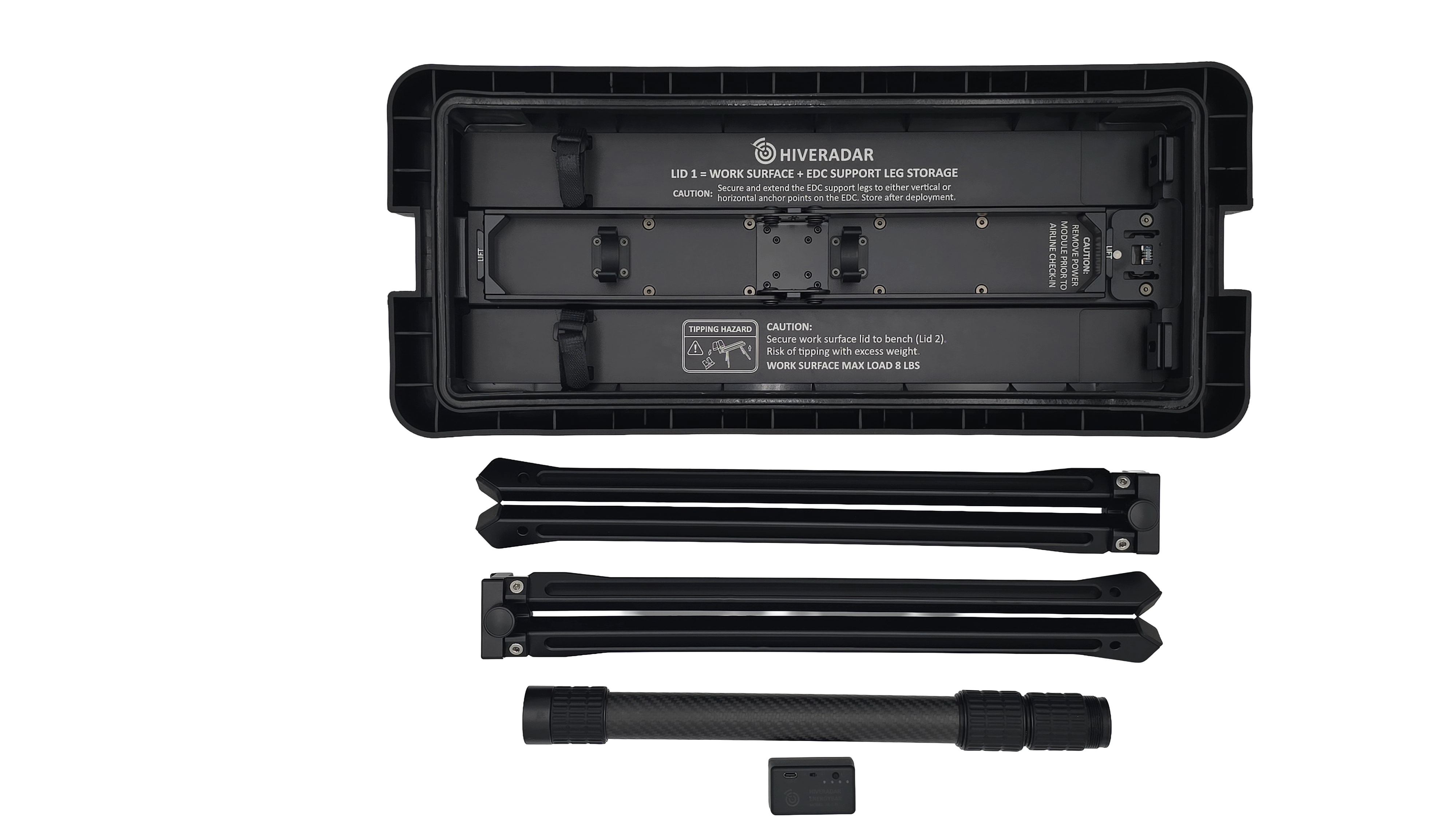
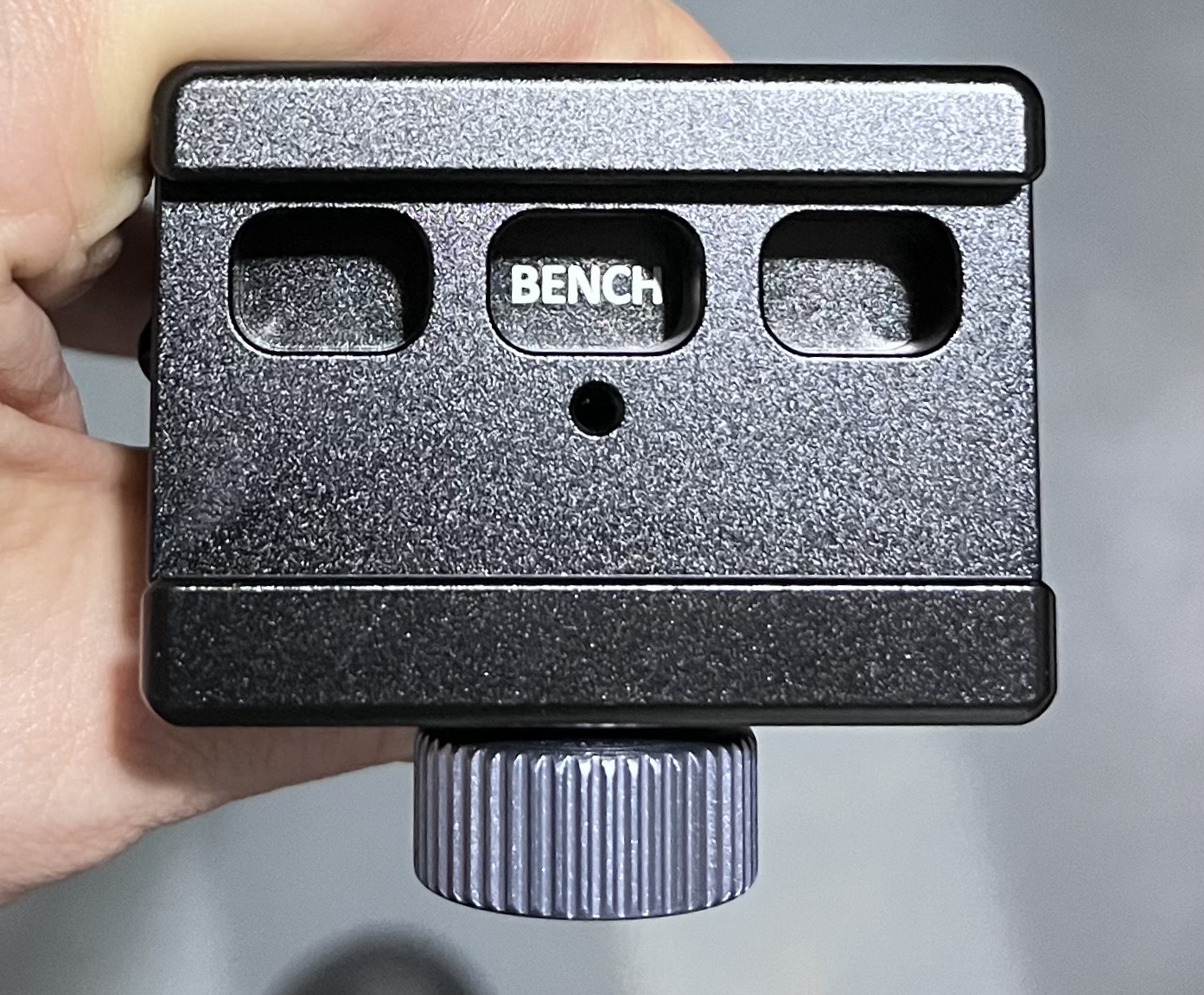
NOTE: The leg sets are not interchangeable. They can be identified by their shape (bench legs are straight from start to finish, EDC deployment legs have the legs angled at the end). They can also be identified by the text on the lid where you took them from and by the text inside the leg anchor point as shown in images below.
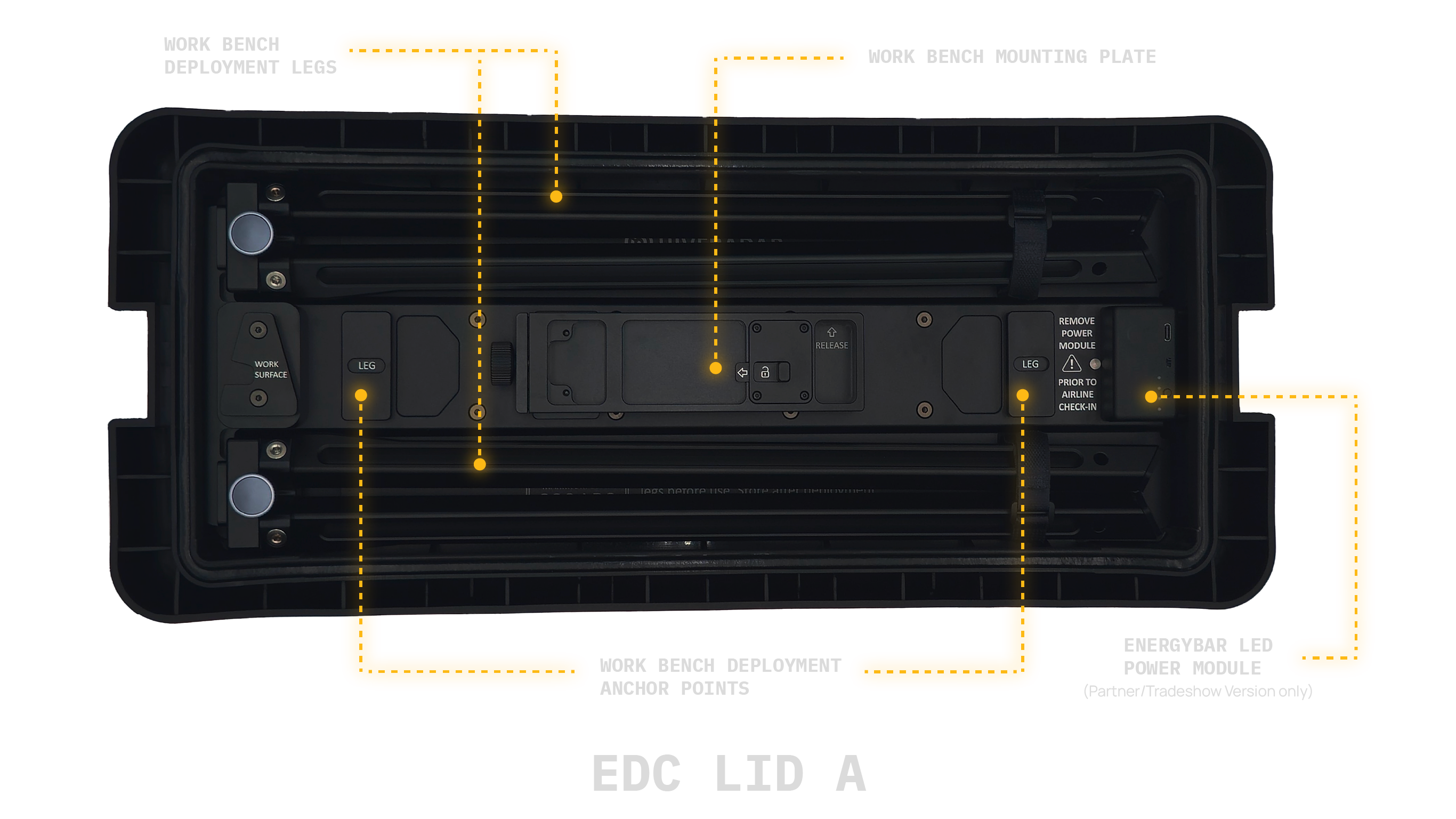
Work Surface Configuration
When deployed with EDC support legs, a lid can serve as a light-duty work surface for:
- Laptops and documentation
- Tools during setup or maintenance
- Equipment staging area
Load capacity: Maximum 8 lbs (3.6 kg)
- Keep items centered on the surface
- Never place items near edges
For detailed assembly instructions, see Leg Deployment.
Bench Seat Configuration
When deployed with bench support legs, a lid can serve as a bench seat.
Load capacity: Maximum 220 lbs (100 kg)
- Sitting only - no standing
- Ensure legs are fully deployed and stable
Verify stability before placing items or sitting, and ensure the bench is placed on level ground before utilizing.
Reattaching the Lids
Before reattaching:
-
Remove all items from deployed lids
- Check for tools, cables, documentation
- Retract and store leg sets in the lids
-
Check interior clearance
- Verify no cables or components will be pinched
- Ensure drawers are fully closed
- Nothing protruding that could be damaged
Reattaching procedure:
-
Position the lid
- Align the lid with the case opening
- Support the lid weight carefully
-
Secure all latches
- Engage both latches fully
- If combination locks, scramble combination for security
- Verify all latches are secured before transport
Safety Guidelines
Finger Pinch Hazard
Risk: Lids can pinch fingers during opening or closing
Prevention:
- Keep hands clear of hinge areas
- Use designated handles or grips
- Do not place hands between lid and case body
- Supervise others when lids are being operated
Falling Lid Hazard
Risk: Lids will drop if not properly supported during removal
Prevention:
- Always support lid during removal
- Lids are fully removable - control the weight carefully
- Do not attempt to operate damaged lids or latches
- Keep body parts clear when removing lids
Work Surface Overload
Risk: Excessive weight may cause the unit to tip over or damage the deployed lid
Prevention:
- Maximum 8 lbs for work surface configuration
- Maximum 220 lbs for bench seat configuration (sitting only)
- Never stand on deployed lids
- Do not use as step or ladder
- Keep weight centered on the surface
Maintenance
Regular inspection:
- Test latches for proper operation
- Look for cracks or damage to lid structure
- Verify surfaces are clean and free of debris
- Check leg sets for proper operation
Cleaning:
- Wipe exterior surfaces with damp cloth
- Do not use harsh chemicals or solvents
- Dry thoroughly after cleaning
- Keep latches clean and free of dirt
What's Next?
After understanding lid operation:
👉 Leg Deployment - Set up stable operational platform
👉 Positioning - Position the EDC for optimal operation